Создаем свой токен в сети BEP-20
Для начала нам надо установить приложение хрома MetaMask.
Создаем тестовую сеть BSC testnet
Проходим регистрацию и добавляем тестовую сеть со следующими параметрами:
- Имя сети: BSC testnet
- Новый URL RPC: https://data-seed-prebsc-1-s1.binance.org:8545/
- Идентификатор цепочки: 56
- Символ валюты: BNB
- URL-адрес проводника блока: https://testnet.bscscan.com
Сохраняем. Теперь у нас есть тестовая сеть.
Бесплатно пополняем тестовый кошелек BNB:
Для этого копируем ссылку на наш кошелек, идем по адресу https://testnet.binance.org/faucet-smart и вставляем код нашего тестового кошелька BNB и ждем Give me BNB. Через пару секунд у нас на счету в тестовой сети BSC testnet в MetaMask появится 1 BNB.
Создаем свой токен:
Жмем в корне добавить файл, название любое.
Копируем все содержимое файла и вставляем в только что созданный нами файл.
Дальше надо подправить следующие параметры на 352 по 355 строки.
Меняем эти значения на наши где:
- _name: имя токена
- _symbol: символ токена
- _decimals: количество символов после запятой обычно 18
- _totalSupply: общее количество монет. Если нам надо 1 000 000 монета то делаем математику: 18+6=24 значит нам надо писать 24 нуля. В этом поле нужно прибавить после нужного нам значения то количество нулей которое мы записали в _decimals.
Выйдет что-то такое:
Компилируем токен:
Перепроверяем в файле на самой первой строке, какая у нас версия компилятора и выставляем для компилирования соответствующую версию. И жмем кнопку компилировать.
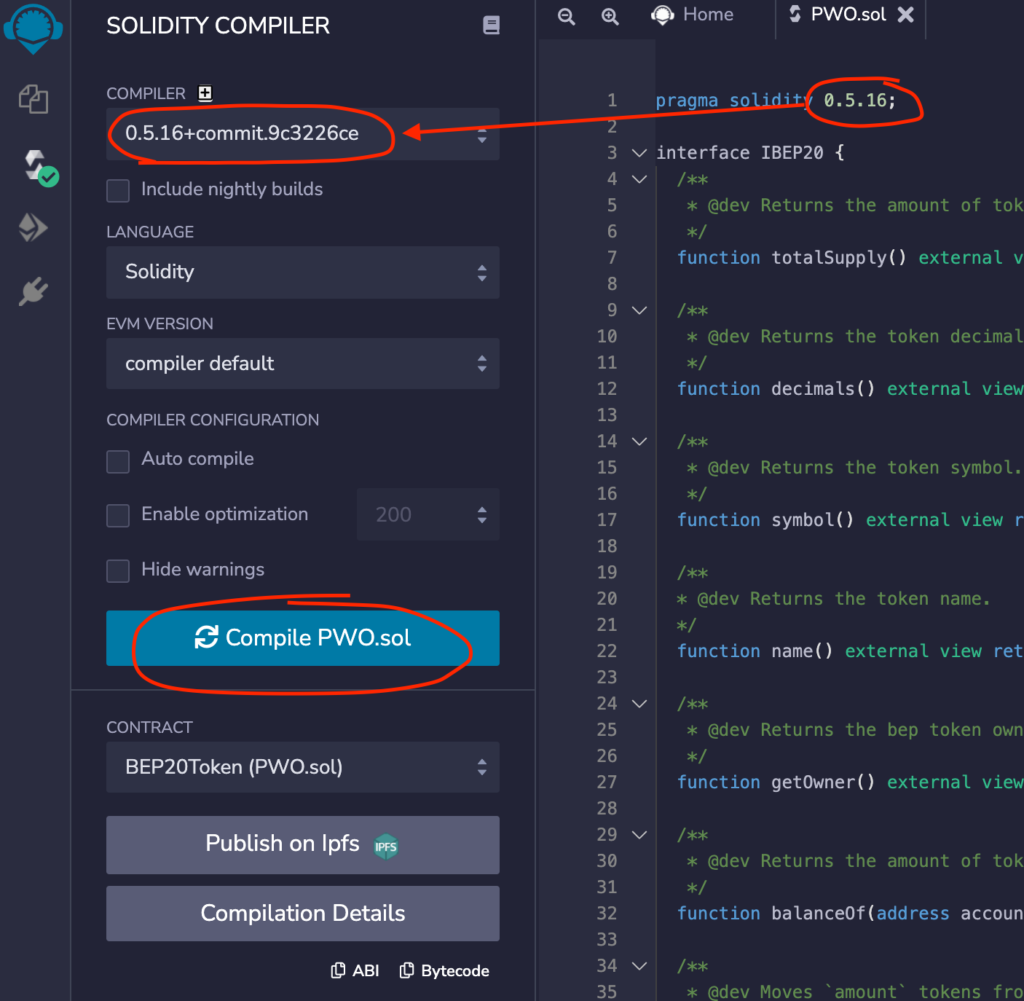
Если ошибок не появилось, значит все мы сделали правильно.
Теперь нужно задеплоить это все в сеть:
Идем справа на следующую вкладку и выбираем в ENVIRONMENT «Injected Web3» должен подтянуться наш тестовый BNB кошелек из MetaMask.
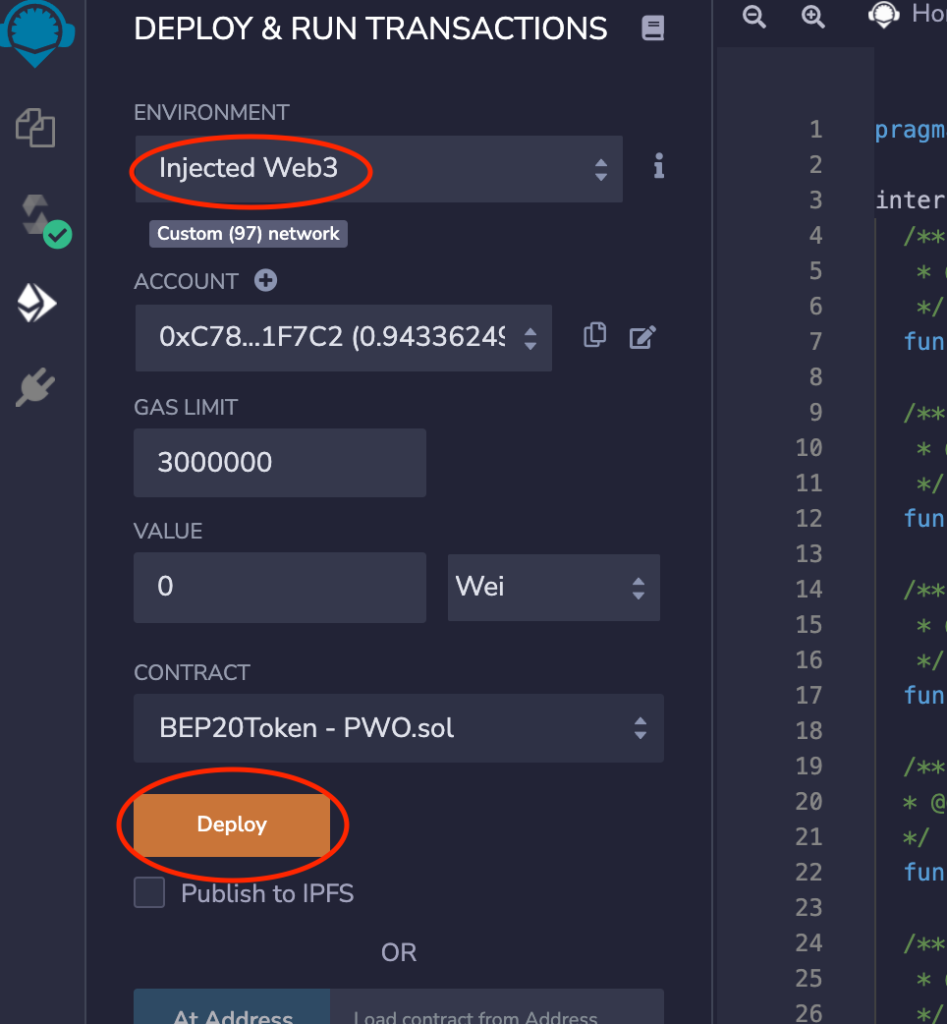
Открывается MetaMask и прости оплатить BNB, перепроверяем что оплата через тестовую сеть и оплачиваем.
После чего идем в MetaMask chrome-extension://nkbihfbeogaeaoehlefnkodbefgpgknn/home.html в тестовой сети в кошельке BNB где мы только что оплатили создание нашего тестового токена переходим на вкладку активность и там ищем последнюю активность Развертывание контракта. Открываем детали и жмем на стрелочку чтобы перейти на тестовый эксплорер BSC.
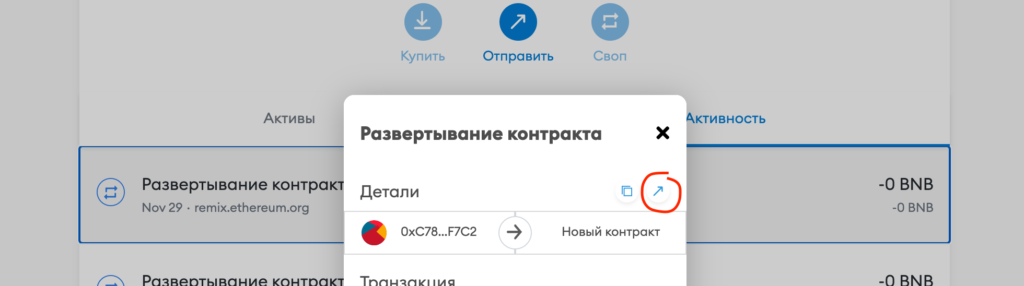
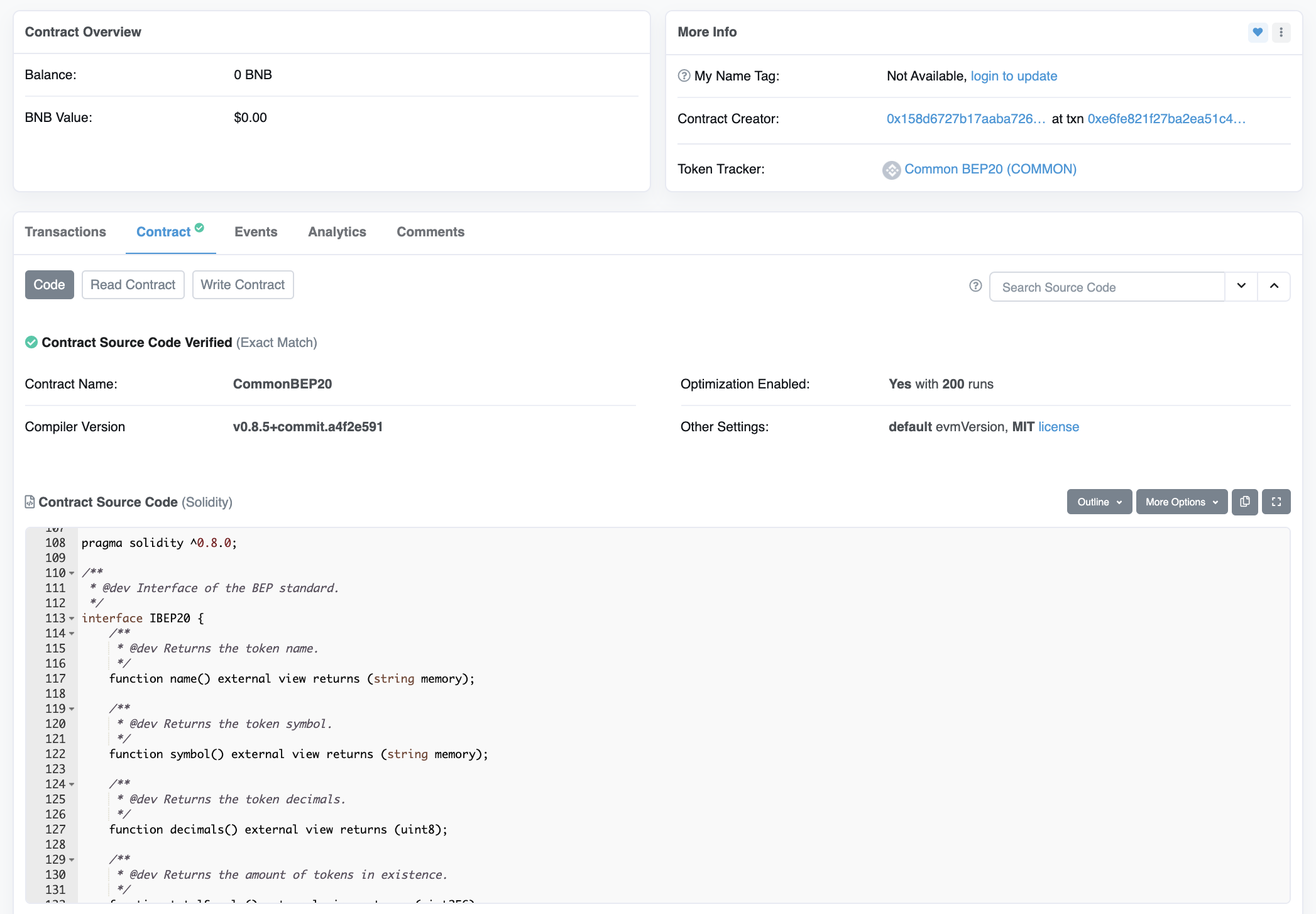
В открытой вкладке ищем строку Interacted With (To) и копируем адрес смарт-контракта нового нашего токена.
Добавляем новый токен в MetaMask. Нажимаем во вкладке активы на Import tokens. В попапе вводим наш адрес который мы скопировали из строки Interacted With (To) в предыдущем пункте.
Все наши токены добавлены в наш кошелек. Мы закончили добавлять тестовый токен.
Чтобы добавить токен в реальную сеть, то оплачиваем эту всю процедуру реальными BNB и все будет добавлено в реальную сеть.
Как создать BEP-20 в сети Binance Smart Chain
Блокчейн-технологии сейчас находятся на такой стадии развития, что практически каждый желающий может освоить алгоритмы создания собственных токенов. Так, относительно недавно появилась платформа Binance Smart Chain. Используя эту экосистему, можно создавать токены BEP-20, о чем мы расскажем в сегодняшней статье.
BEP-20 — стандарт токенов, играющий роль технической спецификации в сети Binance. К основному функционалу BEP-20 относятся возврат баланса, перевод средств и т. п.
Почему я обратил внимание на токены BEP-20:
- на комиссию уходит $0,05, при этом время обработки блока составляет 3 секунды;
- BEP-20 могут использоваться в качестве основы для создания аналогичных токенов;
- к токену можно привязать цифровые валюты из других блокчейнов.
BEP-20 является расширением ERC-20, поэтому данные протоколы совместимы между собой. Несмотря на общие черты двух стандартов токенов, между ними есть некоторые различия. К примеру, BEP-20 используется в смарт-цепочке Binance, а ERC-20 применяется в сети Ethereum. Последний стандарт подходит для разработки любых сгенерированных токенов в блокчейне ETH. BEP-20 применяется только для создания себе подобных смарт-контрактов.
# How to create BEP20 Token
We are moving our Token Generator tool to a new house. We created SmartContracts Tools at NONCEPT.
(opens new window) to discover new features, use latest compiler version, and get discount on some Token price.
# Binance Smart Chain
BEP20 Token Generator is a distributed application that runs on the Binance Smart Chain (BSC) network, using specially-developed Smart Contracts to enable users to build their BEP20 Tokens.
Easily deploy Smart Contract for a Standard, Capped, Mintable, Burnable BEP20 Token.
Create a BEP20 Token in less than a minute.
No login. No setup. No coding required.
# Create Token
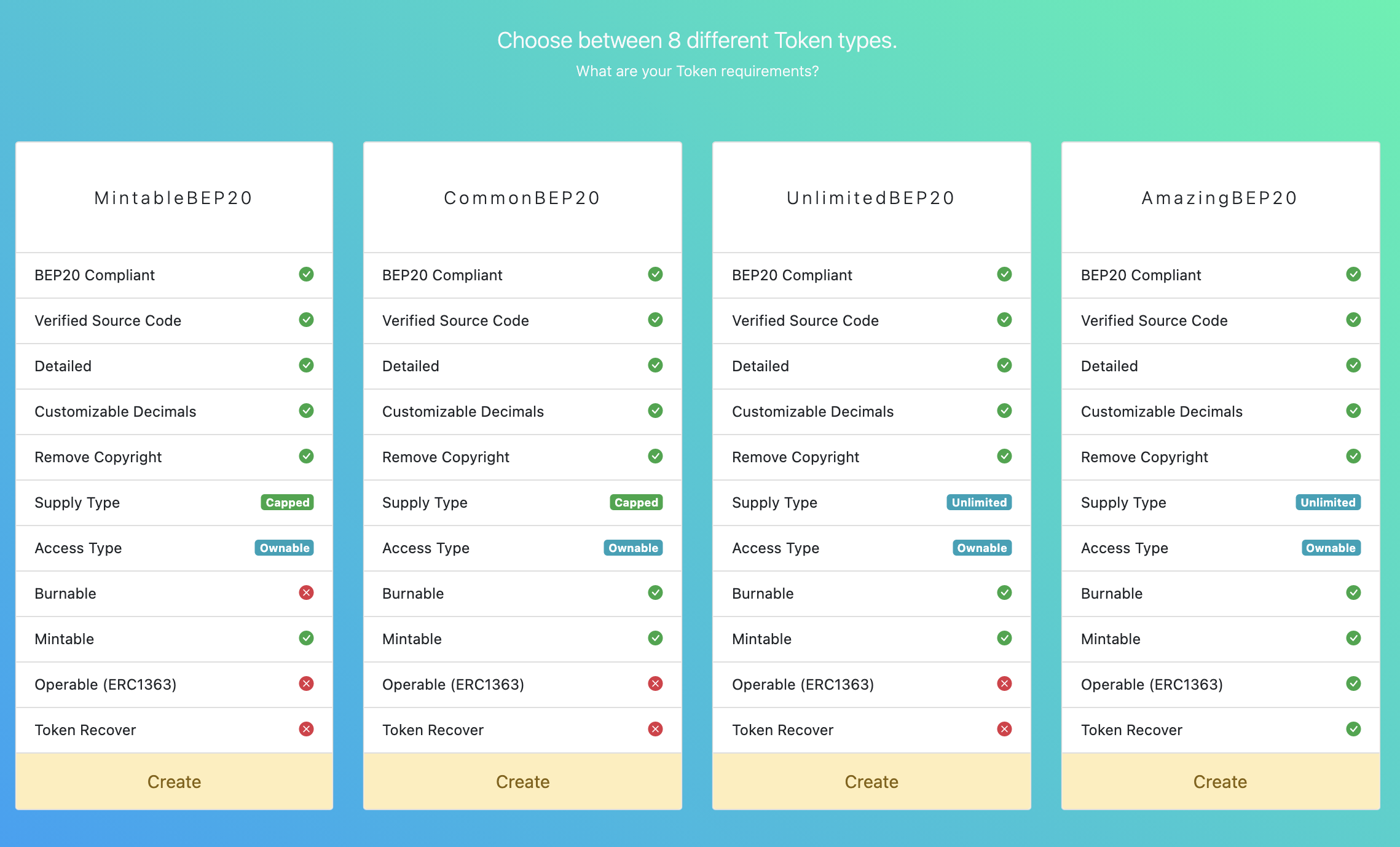
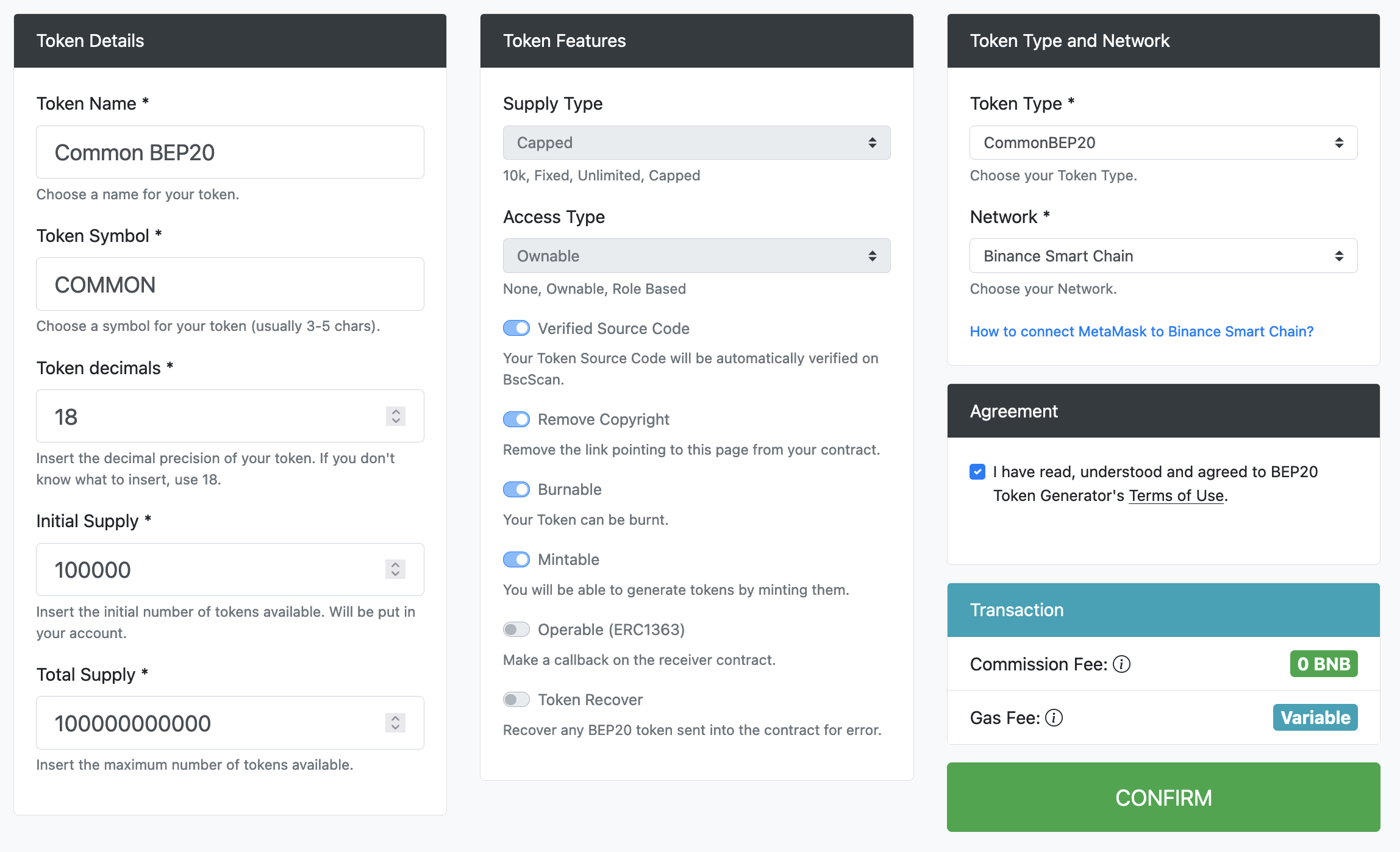
# Choose your token type
Choose between different token types and features.
# Enter your details
Enter your preferred Token name and symbol. Choose your supply and Token type.
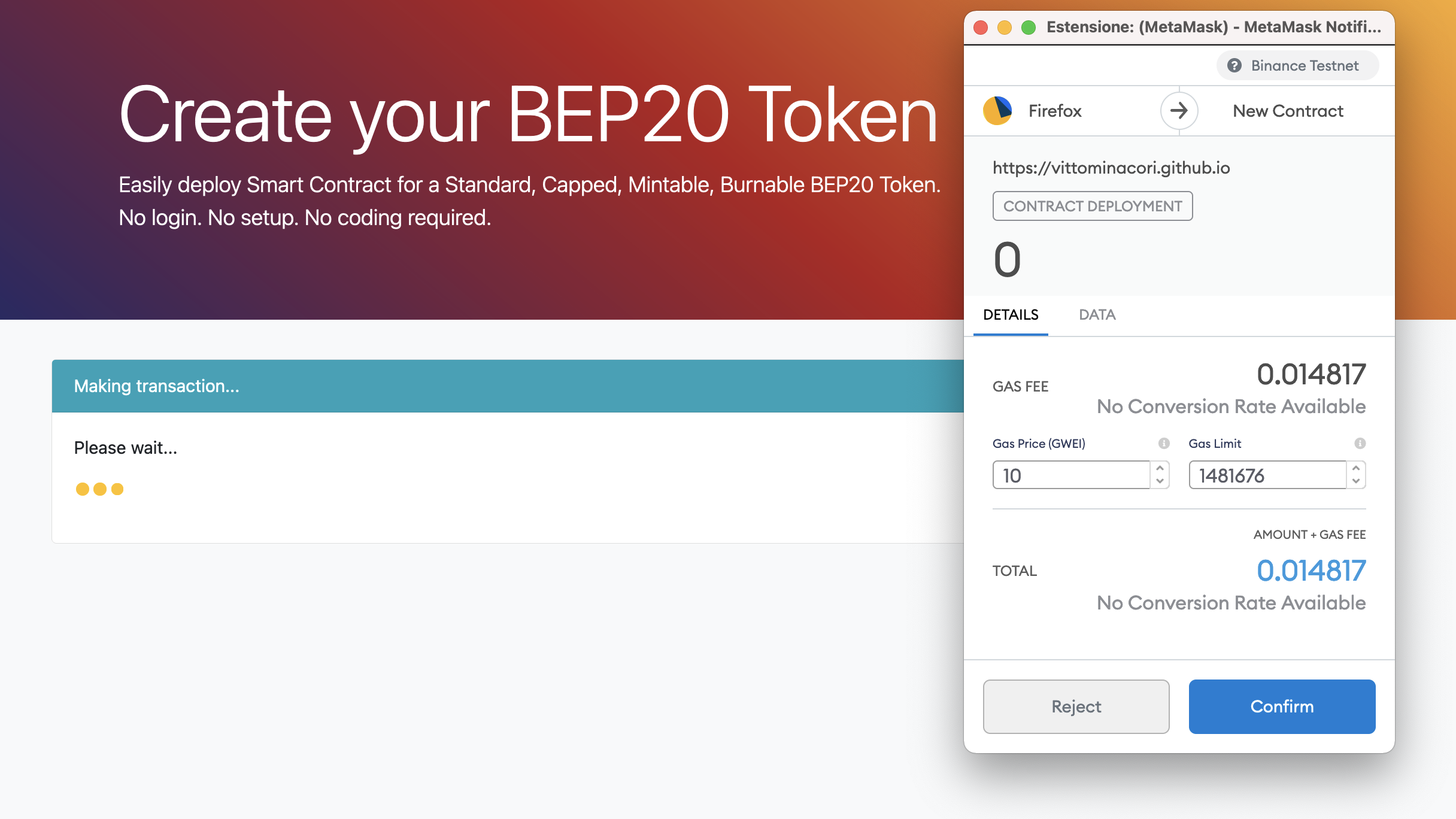
# Confirm your transaction
Confirm your transaction using MetaMask.
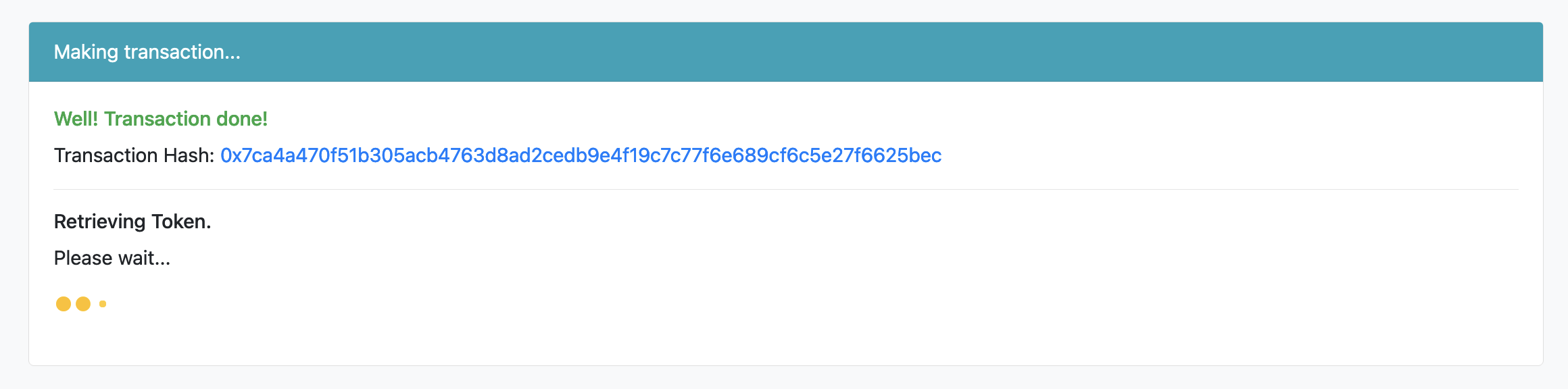
# Waiting for confirmation
Waiting for your transaction to be confirmed.
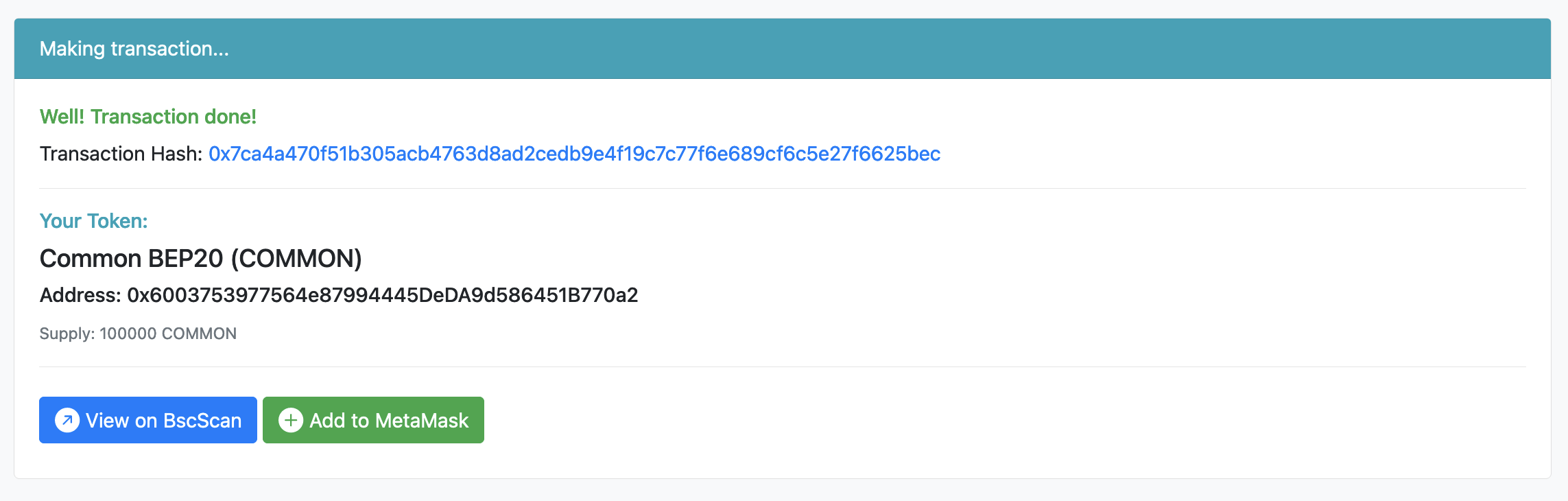
# View your token
Your token is ready to use, view on BscScan or add to MetaMask.
# Verified source code
Your source code will be automatically verified on BscScan.
# Features
# Detailed
Your Token will be fully compliant with the BEP20 definition and compatible with any BEP20 wallet all around the world. It will have a name, a symbol and a decimals amount.
# Burnable
Your Token can be burnt. It means that you can choose to reduce the circulating supply by destroying some of your tokens.
# Mintable
You will be able to generate tokens by minting them. Only token owner will be able to mint. You can also disable minting if you don’t want to generate tokens anymore.
# Supply Type
Your token supply will be 10.000. The entire token supply will be generated during deploy and sent to Token Owner wallet. You can’t increase or reduce supply later.
# Fixed Supply
The entire token supply will be generated during deploy and sent to Token Owner wallet. You can’t increase or reduce supply later.
# Capped Supply
You can define an initial supply to sent to Token Owner’s wallet. You can increase or reduce supply later by minting or burning tokens (if allowed). You won’t be able to generate more tokens than the defined supply cap.
# Unlimited Supply
You can define an initial supply to sent to Token Owner’s wallet. You can increase or reduce supply later by minting or burning tokens (if allowed). You will be able to generate unlimited tokens without an upper limit.
# Access Type
Your Token doesn’t need an access type because of there are not actions that needs privileges.
# Ownable
Your Token will have an Owner. The account you use to deploy your Token will be owner by default and will be able to mint new tokens or call the finish minting function. You can transfer token ownership to addresses or Smart Contract.
# Role Based
Your Token will have Roles. Accounts with "MINTER" role will be able to mint new tokens. Accounts with "ADMIN" role will be able to add or remove roles to minters or other admins. The account you use to deploy your Token will be ADMIN and MINTER by default. In addition your Token will have the Ownable behaviour too.
# Operable Token (ERC1363)
The Operable Token is a BEP20 compatible Token that can make a callback on the receiver contract to notify token transfers or token approvals.
# Token Recover
There are lots of tokens lost forever into Smart Contracts. It allows the contract owner to recover any BEP20 token sent into the contract for error.
# View App
# Disclaimer
Token Generator and its author are free of any liability regarding Tokens built using this App, and the use that is made of them. Tokens built on Token Generator, their projects, their teams, their use of Token (as well as anything related to Token) are in no way connected to Token Generator or its author.
Token Generator’s code is provided under MIT License. Anyone can use it as per their needs. The App’s purpose is to make people able to tokenize their ideas without coding or paying large amounts for it. Source code is public and well tested and continuously updated to reduce risk of bugs and introduce language optimizations. Anyway the purchase of tokens involves a high degree of risk. Before acquiring tokens, it is recommended to carefully weighs all the information and risks detailed in Token owner’s Conditions.
# Contacts
If you have a technical or support question, a privacy concern, complaint, or any type of question, please open an issue here
Create your own BEP20 tokens on Binance Smart Chain (BSC)
Disclaimer: This article is only for informative purposes. It doesn’t recommend you to buy, sell or trade any cryptocurrencies, and doing so is highly subjected to market risks. The code is not suitable for production. The purpose is only to give an overview of how things work.
Right from the beginning of the DeFi Summer of 2020, a lot of new cryptocurrency and blockchain-related projects flooded the Ethereum network which resulted in the hike in gas price. People were in a situation to pay a 100$ gas fee for a 10$ transaction. So, everyone started to migrate their projects and infrastructure to various gas efficient platforms and one among those platforms is the Binance Smart Chain (BSC).
In a nutshell, BSC is almost a similar blockchain to Ethereum, but with some small changes. It has EVM support as well. So any smart contract that runs on Ethereum can be deployed on the BSC. As of May 14, 2021 — the number of daily transactions has reached a tremendous mark of 12M.
](https://flawsomedev.com/static/02f692de307038f03ee49f3771d49f88/3cb16/bsc_daily_tx.png)
Almost in all DeFi projects, one of the common components is a BEP20 token native to the project which will be used for some specific purposes within or even outside their platform. BEP20 token standard is almost similar to the ERC20 standard on Ethereum.
In this article, we will learn to create and deploy a very basic and simple BEP20 token to the BSC testnet using the Remix and MetaMask
Name: SampleBEP20 Token
Total Supply: 1 million SBT
The BEP20 Token Contract:
Note: We are going to deploy the contract to BSC Testnet using MetaMask, so please make sure that you have MetaMask added to your browser with BSC testnet configured. For adding BSC Testnet/Mainnet to your MetaMask, you can refer here.
#1. Open up your browser (in which MetaMask is configured) and navigate to the Remix IDE.

#2. You can import the file using this Gist link. Or you can also create a new file called SampleBEP20Token.sol and add the code of the BEP20 Token Contract given above.
#3. We should compile our code before deployment. Pressing Ctrl + S keys will compile the code. Also we can navigate to the compilation page by clicking the second option on the navigation panel (leftmost).

We have specified the solidity version as 0.8.4 in our code, so we need to choose the same compiler version in the remix also.
#4. After successful compilation, we can move ahead to the deployment panel by clicking the icon below the “Compiler” icon.

The ENVIRONMENT should be Injected Web3 as we are using MetaMask to deploy. Also make sure that you have selected the SampleBEP20Token contract in the CONTRACT dropdown (above the Deploy button).
Note: We need some testnet BNB to pay for gas during contract creation.We can get testnet BNB from this faucet.
We are all set to deploy our SBT token. Hit the Deploy button. It will trigger a MetaMask popup for confirmation. Click Confirm to deploy the token.

#5. Once the transaction is mined, we can see the logs as well as the contract details will appear under the Deployed Contracts section.

#6. If we click on the SAMPLEBEP20TOKEN option under the Depolyed Contracts we can see the public methods and variables, with which can test our deployment. Let us check the balance of the contract owner.

Woah ���� Now we can see that owner/admin owns the total supply of the token which is as expected.
Note: The value displayed is in 18 precision, which is 1M * 10¹⁸.
#7. Let us now try to transfer the tokens to another wallet using the transfer method. Once the recipient address and the amount to send(in 18 precision) are entered, click on the transfer button. There will be a popup from the MetaMask again requesting for confirmation of the transaction. Note that this popup includes the amount of token that we entered.


Click on the Confirm button to push the transaction. In a few seconds the transaction status can be seen on the Remix IDE logs. We can check the transaction status on BSCScan Testnet explorer as well.

Now if we again check the balance of the owner wallet using the balanceOfmethod on Remix, it will be 10 tokens less than a million.

The recipient wallet will be credited with 10 SBT.
Cool ���� Now you can deploy as many tokens as you want.The same procedure can be followed to deploy smartcontracts on BSC mainnet. But it will cost mainnet BNB for gas.
✨ Bonus: Adding our token to MetaMask
Now we will check the SBT balance of our recipient wallet(which is also one of my accounts) on MetaMask.


Once added, the token can be found under the Assets section of the MetaMask account to which the token was added.

.
The same method can be followed to add any of the deployed tokens on the chosen network, in our case it was BSC Testnet .